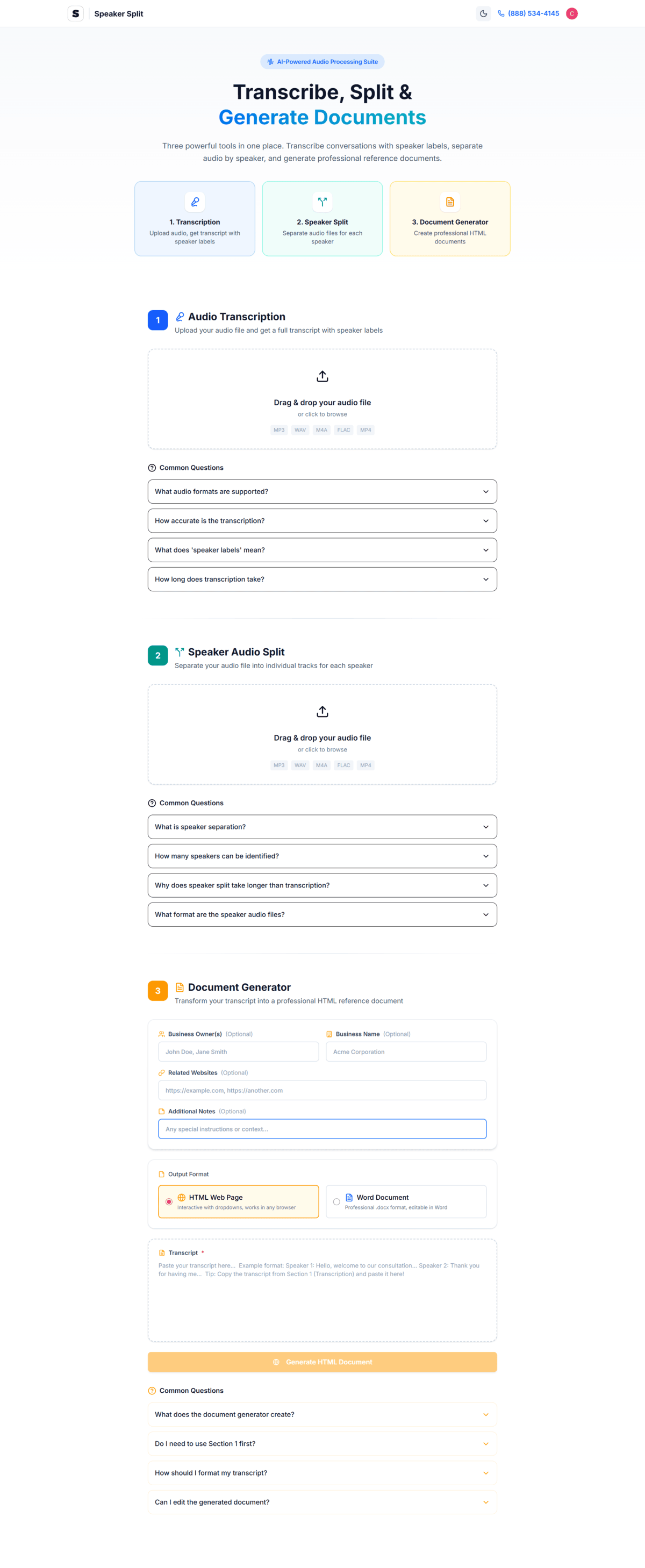
Transform business calls, podcasts, and meetings into searchable transcripts with AI-powered speaker identification. Separate audio by person. Generate professional documents instantly. 100% free.
Scroll to explore, click anywhere to launch
From transcription to document generation, Speaker Split handles your entire audio workflow
Industry-leading WhisperX AI converts your audio to text with exceptional accuracy.
Automatically detect who's speaking and label each voice distinctly.
Download individual audio tracks for each identified speaker.
Transform transcripts into professional meeting notes and reports.
Transcribe audio in 12+ languages with automatic detection.
Works with all major audio and video file formats.
Unlike other transcription tools, Speaker Split is completely free, requires no software installation, and offers unique speaker audio separation that competitors charge hundreds for.
Files are encrypted and auto-deleted after processing
Process 30-minute recordings in under 5 minutes
Start free instantly - no payment info required
No software to install, no complex setup. Just upload and go.
Drag and drop any audio or video file. We support MP3, WAV, M4A, FLAC, OGG, WebM, and MP4 formats up to 500MB.
Our WhisperX AI analyzes your audio, identifies speakers, and generates an accurate transcript with timestamps.
See your transcript with color-coded speaker labels. Make any corrections and add speaker names for clarity.
Get your transcript, individual speaker audio files, and AI-generated documents. All in seconds.
From podcasters to legal professionals, thousands trust Speaker Split daily
Turn team meetings into actionable notes with speaker attribution
Create show notes, SEO transcripts, and quotes from episodes
Transcribe journalist and HR interviews with accurate attribution
Document client conversations and extract key follow-up items
First-draft depositions and witness interviews for review
Help students review class recordings with searchable text
Analyze group discussions with per-participant breakdowns
Turn video content into blog posts, social media, and more
"Speaker Split has transformed how we handle client calls. What used to take hours of manual transcription now happens in minutes. The speaker separation is a game-changer for our sales team."

James Mitchell
VP of Sales, TechCorp Solutions
Everything you need to know about Speaker Split
What is Speaker Split and how does it work?
Speaker Split is a free AI-powered web application that transcribes audio files, automatically identifies different speakers, separates the audio by speaker, and can generate professional documents from your recordings. It uses advanced WhisperX AI technology for 95%+ transcription accuracy. Simply upload your audio file, select the number of speakers, and let the AI do the work. No software installation required.
What audio formats are supported?
Speaker Split supports all major audio and video formats including MP3 (most common), WAV (high-quality uncompressed), M4A (Apple format), FLAC (lossless), OGG (open-source), WebM (web format), and MP4 (video - audio is extracted automatically). Maximum file size is 500MB per upload, which is enough for most meeting recordings and podcasts.
How accurate is the transcription?
Speaker Split uses WhisperX AI technology which provides 95%+ accuracy for clear audio recordings. Accuracy depends on audio quality, background noise levels, speaker clarity, and microphone quality. The tool works best with clear speech and minimal background noise. Even with moderate background noise, accuracy typically remains above 85%.
Is Speaker Split really free?
Yes! Speaker Split offers a generous free tier that allows you to transcribe and process audio files without any payment. Create a free account to get started - no credit card required. The free tier includes audio transcription, speaker identification, document generation, and access to all supported file formats. Premium options with higher limits are available for power users.
How many speakers can it identify?
Speaker Split can automatically identify and label between 2 to 6 different speakers in an audio recording. Each speaker is assigned a unique label (Speaker 1, Speaker 2, etc.) and color code in the transcript. The AI analyzes voice characteristics like pitch, tone, and speech patterns to distinguish between speakers.
Can I download separate audio files for each speaker?
Yes! Speaker Split's unique speaker separation feature allows you to download individual audio files for each identified speaker. After processing, you can download the complete original audio, individual audio tracks containing only what each speaker said, or specific segments. This is perfect for creating highlight reels, isolating voices for editing, or extracting quotes.
Is my data secure and private?
Yes, Speaker Split takes data privacy seriously. Your audio files are transmitted over encrypted HTTPS connections, processed on secure servers, and automatically deleted after processing completes (typically within 24 hours). We never share your data with third parties and don't use your audio for AI training. For enterprise users with stricter compliance requirements, please contact us.
What languages does Speaker Split support?
Speaker Split supports transcription in 12+ languages including English, Spanish, French, German, Portuguese, Italian, Dutch, Polish, Russian, Japanese, Korean, and Chinese (Mandarin). The AI can automatically detect the spoken language, or you can manually select it for better accuracy. Multi-language support within a single recording is also possible.
Still have questions? Try Speaker Split free and see for yourself!
Get Started FreeUse Speaker Split to turn your recordings into searchable transcripts and documents. No credit card required. No software to install. Just results.
Definition:
CapitalScore™ is a comprehensive metric that evaluates how complete and consistent a business’s setup is and how reliably it pays suppliers and vendors. It reflects a holistic assessment of factors such as credit history, payment behavior, credit utilization, financial stability, and growth potential—serving as an internal checklist for vendor and supplier relationships.
Unlike traditional credit ratings, CapitalScore™ emphasizes actionable pathways to strengthen a business’s financial foundation, supporting long-term credibility.
Turn Anonymous Site Visitors Into Leads You Can Follow Up With
TrafficIQ: From Anonymous Visitor to Detailed Lead, Instantly—Flowing Directly Into Your SMS, Email & Ringless Voicemail Drips.
See how many leads you can get from your live site traffic everyday at NO CHARGE!
Most website visitors leave without filling out a form. TrafficIQ identifies many of the companies and people showing buying intent on your site, so you can follow up by SMS, email, or voicemail.
Please review the following information about our services, fees, and policies.