Encrypted libraries
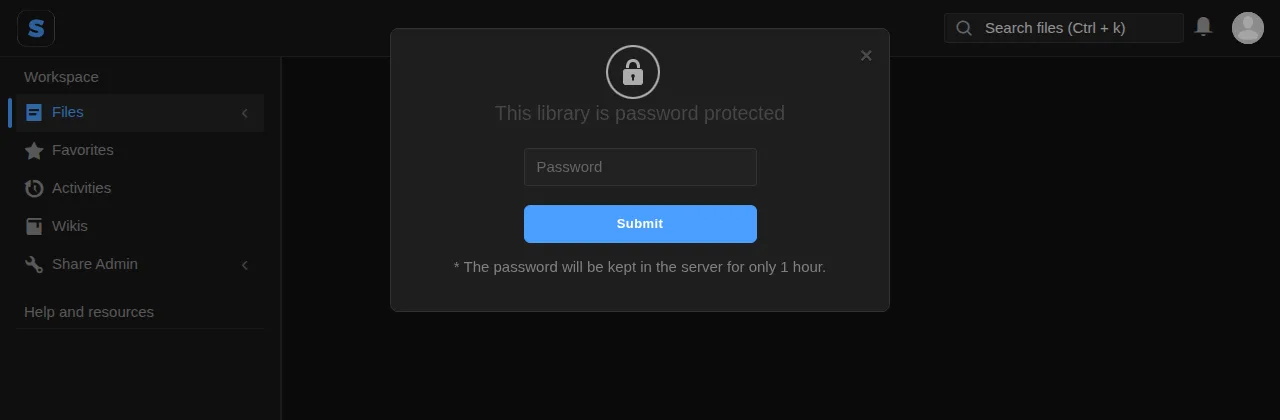
Turn on encryption when you create a library and set its password. We never store that password, so we can't open the library without you.
SMB Cloud by Start My Business
Store, sync and share your company files from one cloud we run on our own US servers. Start with 5 GB free, use it on Windows, Mac, Linux, iPhone and Android, and lock your most sensitive folders behind a password only you know.
Works on
What you get
Formation papers, tax letters, client folders, logos. Keep them in libraries you control, and reach them from any device.
Turn on encryption when you create a library and set its password. We never store that password, so we can't open the library without you.
Desktop apps keep a folder on your computer in step with the cloud. Edit on your laptop, open it on your phone.
Send a download link to a client or your accountant. Add a password and an expiry date. They don't need an account.
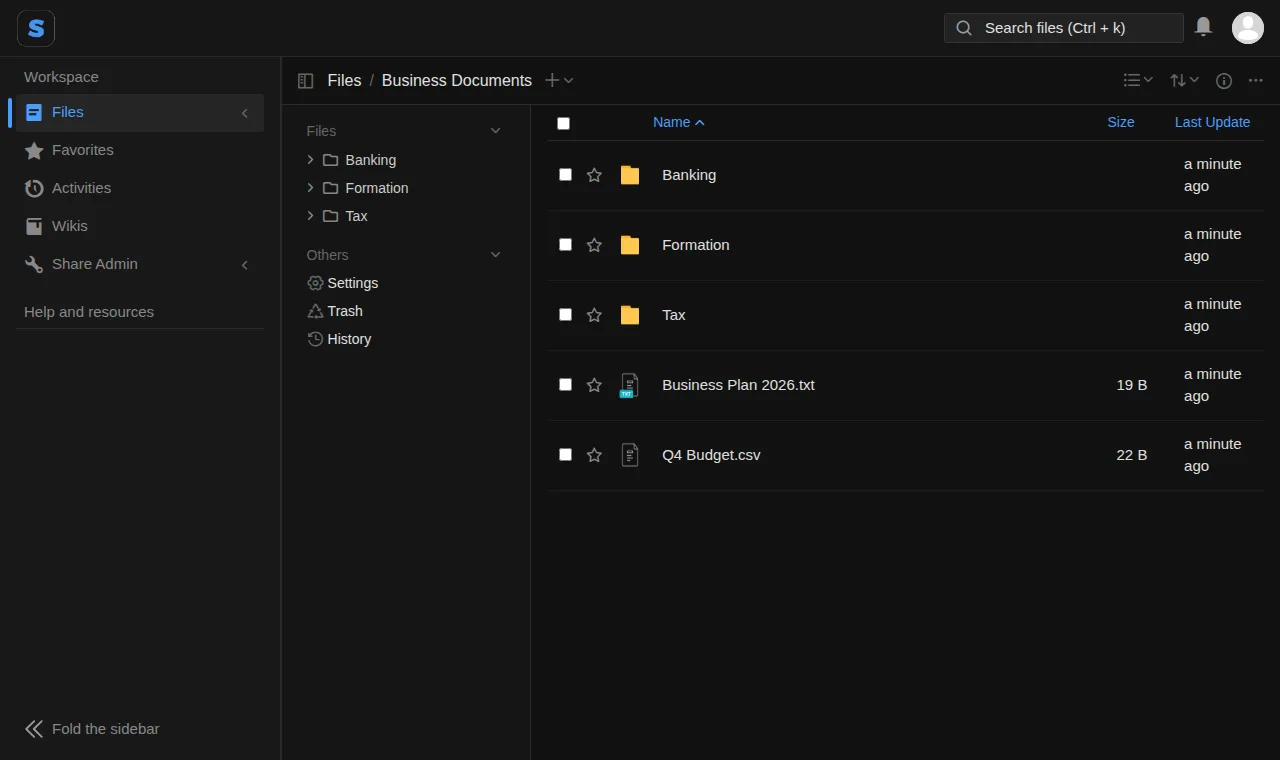
Saved over the wrong spreadsheet? Open the library's history and bring back an earlier version, or restore a deleted file from trash.
Share a whole library or a single folder with the people you work with, and choose who can edit and who can only view.
Find a file by name across all of your libraries from the search bar, instead of digging through folders.
SMB Cloud runs on hardware we operate in the United States, not on a big tech platform, and your files are never used for advertising.
Use "Continue with Google" on the sign-in page, or make an account with any email address. Either way it takes about a minute.
Privacy, explained plainly
Any library can be encrypted. Here is what that means, without the marketing gloss.
How it works
No setup call needed. Most people finish this in a few minutes.
Sign up with Google or your email at SMB Cloud. Your free 5 GB is ready right away.
Get the desktop app for Windows, Mac or Linux, and the app for iPhone or Android. SMB Cloud runs on Seafile, so you install the Seafile app.
When the app asks for a server, enter https://seafile.alwaysencrypted.com and sign in.
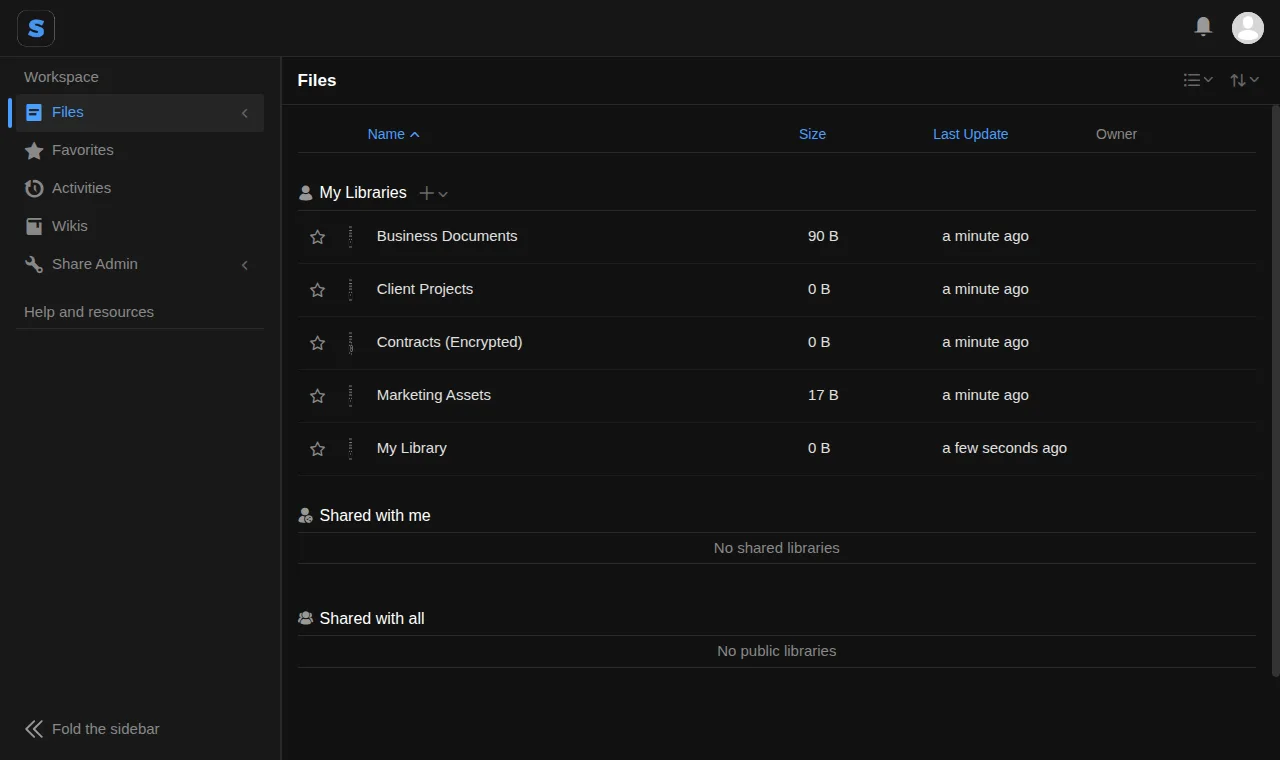
Create a library per area of the business, encrypt the sensitive ones, and send share links when someone needs a file.
Inside SMB Cloud
Real screens from SMB Cloud, taken with a demo account and sample files.
Pricing
Every plan has the same apps, encrypted libraries, share links and file history. The difference is storage and support.
$0
5 GB storage
$9.99 / month
50 GB storage
$24.99 / month
200 GB storage
$49.99 / month
1 TB storage
Start My Business build-out clients: SMB Cloud storage comes with your business services. Contact support and we will activate it on your account.
Building a business?
SMB Cloud holds the files. The Start My Business dashboard is where you plan and track the business itself. It's a separate free account.
FAQ
Yes. The Starter plan is free with 5 GB of storage and no credit card. If you need more room, Pro is $9.99 a month for 50 GB, Business is $24.99 a month for 200 GB and Enterprise is $49.99 a month for 1 TB.
Start My Business build-out clients get SMB Cloud storage with their business services. Contact support to have it activated.
We run SMB Cloud ourselves on servers in the United States instead of renting space from a big tech company. Your files are not used for advertising, and you can lock any library with a password that only you know.
When you create a library, switch on encryption and pick a password. The files are stored encrypted, and the desktop and mobile apps decrypt them on your device. If you open the library in a web browser, the server keeps the password for up to one hour so it can show your files.
We don't store the password anywhere, which also means we can't recover it if you lose it.
Windows, macOS and Linux through the Seafile desktop app, iPhone and iPad through Seafile Pro, Android through Google Play or F-Droid, and any web browser. In each app, use the server address https://seafile.alwaysencrypted.com.
Yes. Create a share link for a file or folder, and add a password and an expiry date if you want. The person you send it to doesn't need an SMB Cloud account.
Every library has a History view and a Trash. Use History to restore an earlier version of a file or folder, and Trash to bring back something you deleted.
No, they are two separate free accounts. SMB Cloud at seafile.alwaysencrypted.com stores your files. The Start My Business dashboard is where you track your business build, read guides and watch training.
Make a free account, install the app, and your first library can be syncing in a few minutes.
Questions? Call (888) 534-4145 or use Live Support.